For years, enterprise print management solutions focused almost exclusively on the needs of IT. Centralized control, standardized drivers, policy enforcement security controls, reporting. The list is long.
I have news for you. That list hasn’t gone away at all. At the same time, the modern workplace has changed a lot. Now we have another non-negotiable requirement for the list.
Today's users expect intuitive, self-service technology that works wherever and however they work. These expectations are typically captured by the term User Experience (UX), which encompasses far more than the User Interface (UI) alone. The difference is that UX focuses on the overall experience and how users feel when using the product.
It has long been assumed, and is still commonly believed, that organizations need to choose between secure, enterprise-grade software and exceptional user experience. We believe that the trade-off is unnecessary. LRS solutions are designed with the principle that you need both; exceptional UX, and the security, reliability, and governance standards enterprises require. Rather than treating UX as an afterthought, LRS makes it part of the foundation.
This also means that improving UX requires more than simplifying printer deployment. It requires managing the entire flow of information across the enterprise. The printer is simply the last mile of a much larger information workflow.
Great User Experiences Don't Happen by Accident
One of the biggest misconceptions in print management is that users want more control over printing. Most want to select a printer, click Print, and move on with their day. When something changes, such as moving offices, replacing a device, working remotely, or onboarding a new employee, they want those changes to be simple and intuitive. That is exactly where Personal Print Manager (PPM) is designed to excel.
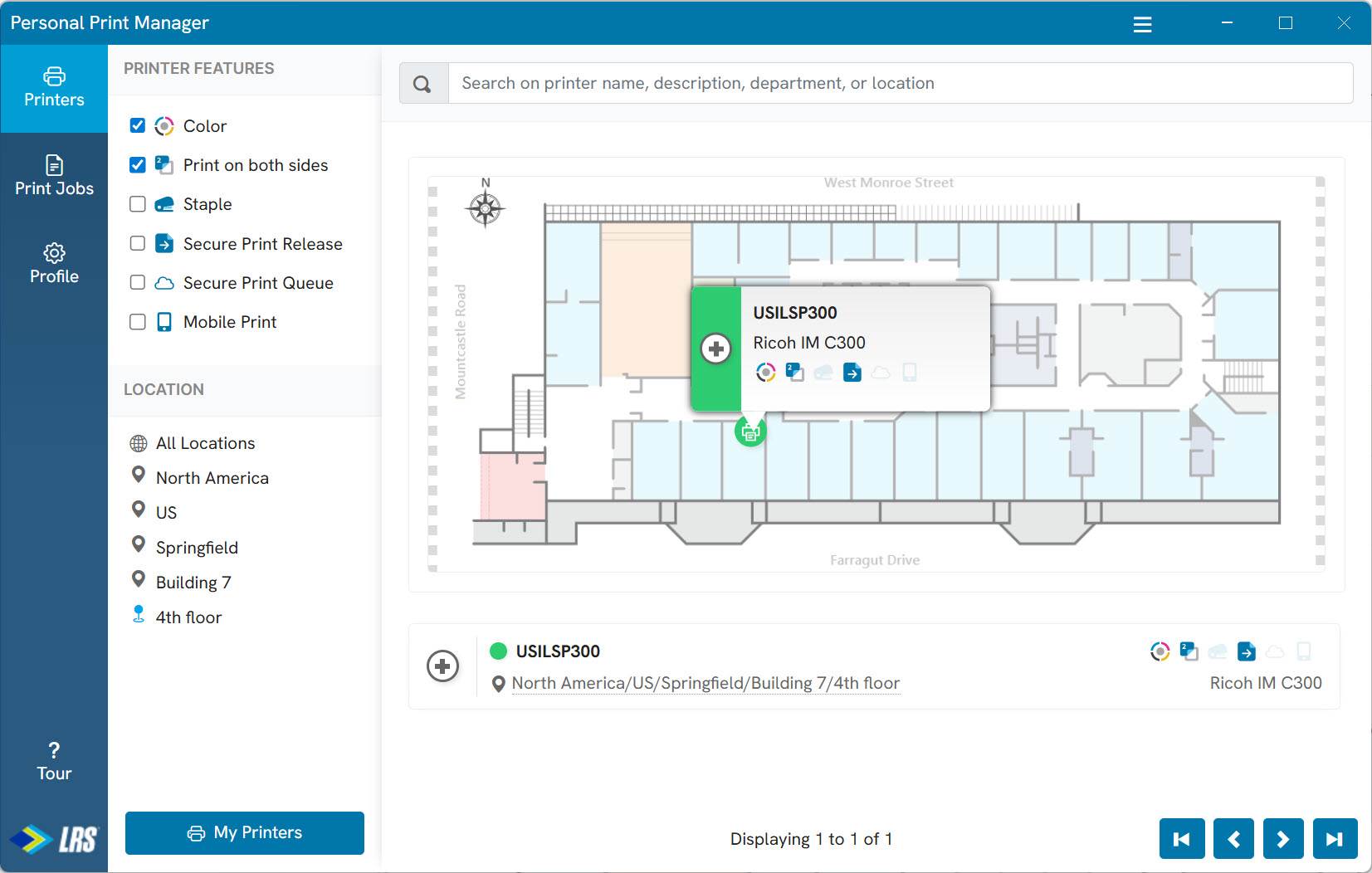 Finding a printer using a floor plan
Personal Print Manager: Self-Service Without Complexity
Despite its name, Personal Print Manager is not an application users must open every time they print.
In fact, many users may rarely interact with it at all. Printing continues through the applications and workflows they already use every day. PPM primarily exists to support self-service tasks such as printer discovery, installation, and management that would otherwise require calls to the help desk. The same PPM client will work whether your output management system is in the cloud or on-prem. This provides organizations flexibility to move between on-premises and cloud deployments without changing the user experience.
Even better, PPM can often be configured to automatically install the printers that users need, making the experience nearly invisible to the end user. Printing simply works as expected.
The impact on UX is significant. Fewer help desk tickets, faster onboarding, minimal administrative effort, and consistent printer access equals user contentment.
User Experience Meets Modern Security
Users expect simple access. Security teams require strong authentication. A variation on an older English idiom comes to mind: “You can have your cake and eat it too”.
Personal Print Manager supports modern authentication and Single Sign-On (SSO). Once a user signs in, authentication tokens can be securely retained, allowing users to remain authenticated without repeated login prompts. The experience feels familiar because it mirrors the way users interact with many cloud applications every day.
Organizations do not need to overhaul their identity and security infrastructure to modernize the user experience. With LRS solutions, they can continue leveraging their existing identity providers, authentication policies, multi-factor authentication requirements, and security governance models. Because authentication remains under the organization's control, security is enhanced without adding complexity, creating a user experience that aligns with security standards and is still perceived as business as usual by users.
The "No Agents" Myth
Occasionally, I have heard an individual say, "We don't install agents on desktops." The reality is that modern technology is built on lightweight endpoint agents.
Most modern software relies on lightweight endpoint agents, regardless of whether it provides security, productivity, management, or collaboration capabilities. A trusted component runs on the endpoint and securely communicates outbound. This is not a limitation. It's a security requirement.
In a cloud-based environment, allowing cloud services to directly reach corporate desktops would violate modern security principles. Instead, trusted endpoint software initiates secure outbound communication, aligning with Zero Trust architectures and avoiding inbound access to internal devices. For organizations evaluating cloud print solutions, this should not be viewed as an exception. It is the industry standard.
Beyond Printer Definitions
Many solutions focus on managing desktop printer definitions, but that addresses only a small piece of the output management challenge. Consider all the sources of output across your organization: ERP platforms such as SAP, Oracle, and Workday, EMR systems like EPIC and Oracle, financial applications, logistics platforms, and cloud services. Now consider the destinations: office printers, label printers, digital archives, and more.
A desktop-only point solution covers just one endpoint in a much larger ecosystem. LRS takes a different approach by managing and controlling the print and document streams that flow throughout the enterprise. This is a very large distinction. It provides visibility, control, and flexibility across the entire output environment. This unified approach has a direct impact on the overall quality of the user experience.
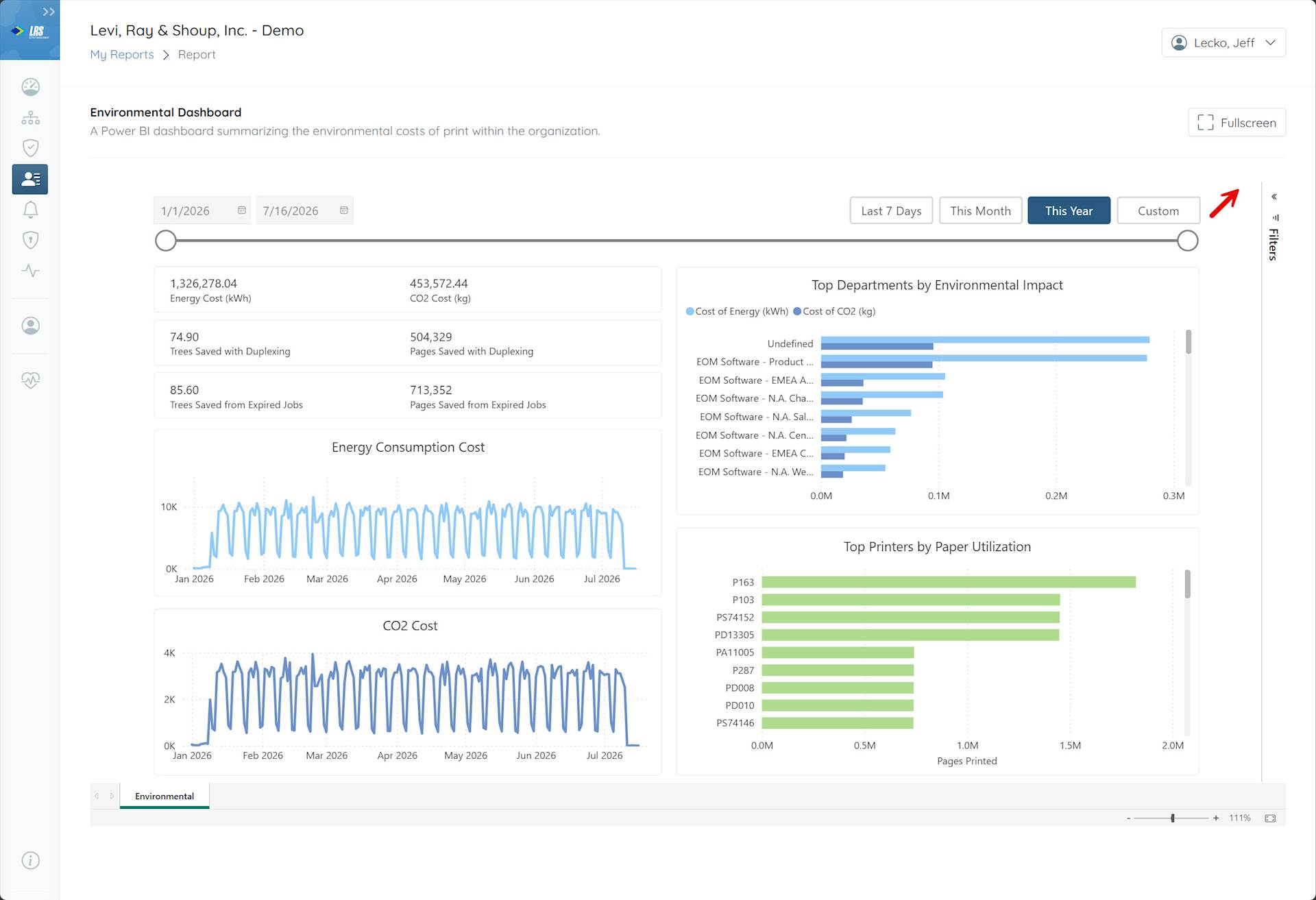 Cloud-native administrative reporting
Managing Documents, Not Just Printers
Because LRS can selectively spool, it can process, and transform output. Organizations can gain a single control point across the enterprise. This enables document conversion, merging and splitting, watermarking, content security, intelligent routing, archiving, compliance workflows, and AI or human review processes. Most importantly, these capabilities are applied consistently regardless of where a document originates or is delivered, whether it comes from a mainframe, an ERP system, or a cloud application anywhere in the world.
To the user, printing remains simple (or more likely, is finally simple). Behind the scenes, LRS handles the complexity for them.
One Experience, Everywhere
Enterprise environments are complex, with diverse printer fleets, operating systems, locations, and infrastructure. Users shouldn't have to understand that complexity.
The ideal print experience is consistent regardless of the device, operating system, location, network, document type, or destination. Centralized output management makes this possible. While UX is often viewed as a design problem, it is equally a systems and architecture problem.
Solutions can either work around enterprise complexity or address it effectively. When shortcuts are taken, the complexity is inevitably pushed onto users. By contrast, solutions built on centralized control, intelligent automation, modern identity integration, and consistent policy enforcement shield users from complexity, delivering a simple, seamless experience even in highly sophisticated enterprise environments.
That's why LRS continues to help organizations reduce support calls, strengthen security, simplify administration, and improve user satisfaction simultaneously.
Because in modern enterprise environments, the best user experience is not the one with the most features.
It's the one that makes complexity disappear.